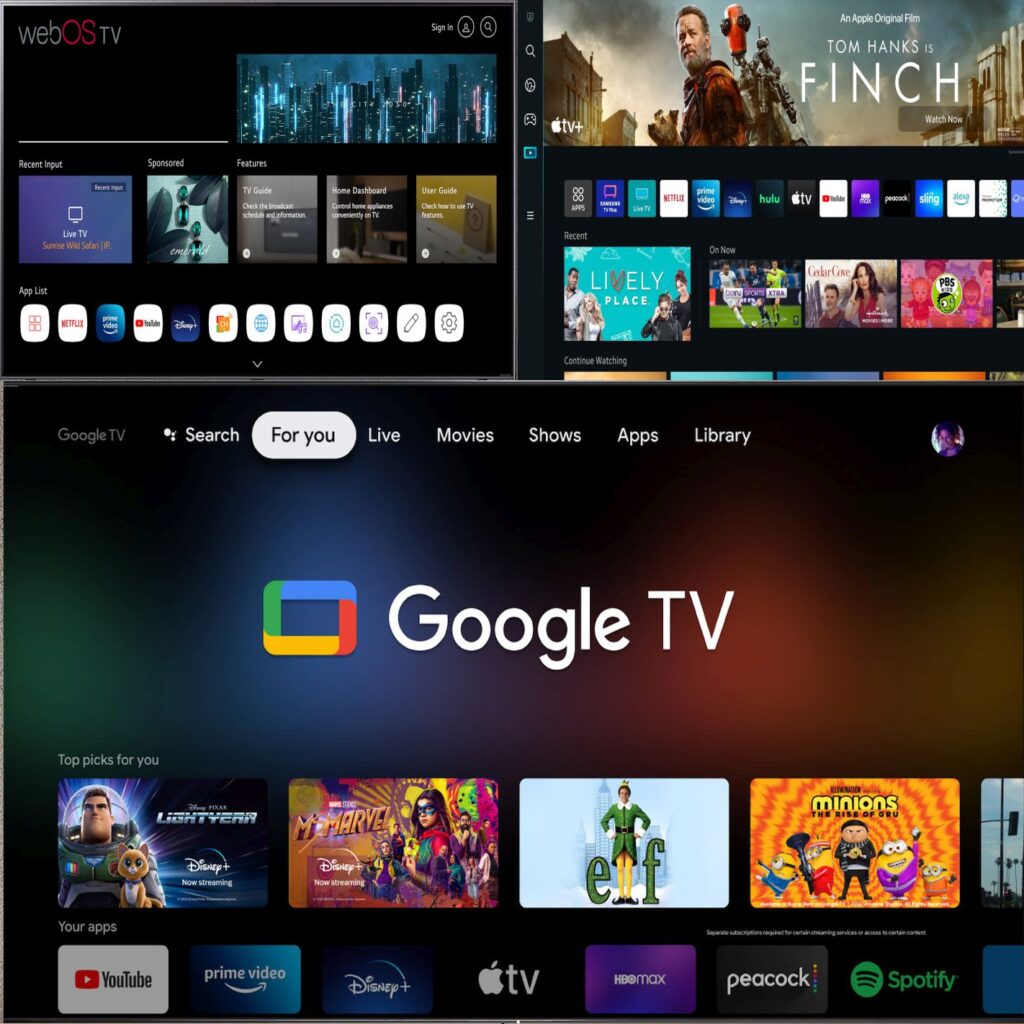
The smart TV market has undergone a true revolution over the past decade. In the past, a smart TV was essentially a television with a handful of basic streaming apps, such as Netflix or YouTube. Today, however, smart TVs are complex software platforms that shape the viewing experience as much as the quality of the display panel itself. At the heart of this transformation are operating systems, each with its own strategy, advantages, and limitations. Choosing the right operating system is never accidental; it reflects a combination of business strategy, technology philosophy, and user experience priorities.
TV Manufacturers’ Operating Systems: Why Many Are Closed?
Most major TV manufacturers have opted for semi-closed operating systems under their control. LG developed webOS, Samsung relies on Tizen, and other manufacturers have adopted customized versions of Android TV or Google TV.
The primary reason for a closed system is control: control over the user experience, interface design, performance, and, just as importantly, the business model. A closed app store allows manufacturers to decide which applications are available, which services are promoted, and how revenue from advertising, partnerships, and subscriptions flows.
LG’s webOS stands out for its clean, fast, and intuitive interface. It is highly optimized for LG hardware, extremely stable, and delivers a seamless “everything just works” experience for the average viewer.
Samsung’s Tizen follows a similar philosophy: a smooth, polished interface with deep integration into Samsung’s ecosystem and smart home platform, SmartThings. Both systems are mature, reliable, and cover the majority of mainstream viewing needs.
Google TV: A More Open Approach
Google TV represents a different approach. Rather than a “walled garden”, it is a relatively open platform built on the Android operating system. It offers access to an enormous app store, deep synchronization with your Google account, and greater flexibility for advanced users.
Google Play vs. Closed App Stores
One of the most significant differences between Google TV and platforms like webOS and Tizen is the application ecosystem. The Google Play Store provides an immense library of TV apps, many of which are simply unavailable on LG or Samsung’s closed stores. Update cycles and feature rollouts are significantly faster.
In contrast, webOS and Tizen limit installation almost exclusively to manufacturer-approved apps. While this ensures a safe and controlled experience, it also restricts flexibility. Premium apps like YouTube and Spotify function fully, but to achieve the best experience, including ad-free playback and enhanced content control, users often need a paid subscription.
Google TV, on the other hand, also allows installation of apps from external sources. This Android feature opens the door to advanced possibilities.
Across the globe, independent developer communities create alternative apps for familiar services. These apps are not part of official stores, but installation is legal in many regions, provided local laws are respected. This mirrors the smartphone, tablet, and PC world and is part of the enjoyment of open platforms.
A Practical Example
There are many real-world examples, such as TCL, Sony and Haier TVs, which are all equipped with the latest Google TV version. This combination highlights the advantages of a relatively open platform running on modern hardware.
Installing Third-Party Apps on Google TV
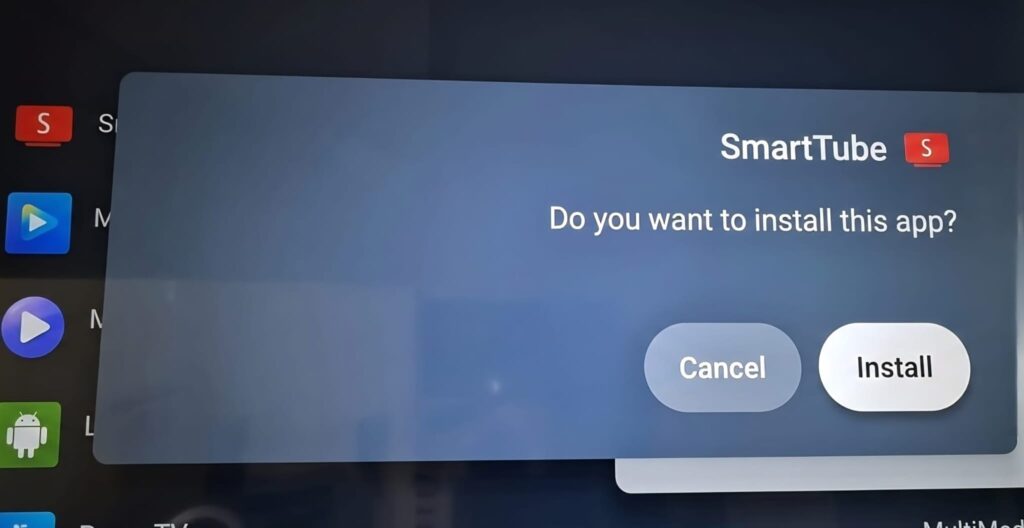
One popular app among advanced users is SmartTube, an alternative YouTube app designed specifically for Google TV. Its main benefits include a clean, TV-friendly interface and enhanced control over playback, ad skipping, and sponsor mentions, even previews or summaries, tailored for a fully customized viewing experience. For many users, it feels more like a traditional television experience than the official YouTube app.
Installing SmartTube on Google TV is straightforward for anyone familiar with Android: allow installation from unknown sources, download the Downloader app, search for “SmartTube app,” download the stable APK file, and the app integrates like any other. No rooting, deep system changes, or advanced technical knowledge are required, which sharply contrasts with closed operating systems.
Beyond Apps – Interface Customization
Google TV’s openness doesn’t stop at content apps. A particularly interesting aspect is the ability to replace the Launcher, or the TV’s home screen. While webOS and Tizen have fixed interfaces, Google TV allows third-party launchers to completely reshape the user experience: fewer sponsored recommendations, more shortcuts, minimalist designs, or interfaces tailored specifically for children or older adults.
For users who want their TV to feel like a personalized device, not just a window into manufacturer-selected services, this flexibility is a major advantage. Being able to adjust the interface, app order, and navigation entirely transforms the relationship between user and screen.
Conclusion: Convenience vs. Freedom
As mentioned at the start, there’s no single best choice for everyone. webOS and Tizen provide a stable, simple, and polished experience suitable for the majority of consumers. Google TV, by contrast, offers freedom: freedom to install, customize, modify, and expand. This mirrors the difference between an iPhone and an Android smartphone.
Choosing Google TV platform isn’t just selecting an operating system; it’s embracing a philosophy. A philosophy that sees the TV as an open, dynamic platform capable of growing with the user rather than being locked to the configuration at purchase.
For those willing to explore and experiment, the added value is clear. Google TV allows the viewer to shape their viewing experience entirely, from app selection to interface design, making the smart TV truly personal and adaptive in a way that closed systems cannot.