

Over the last decade, and especially since the outbreak of the COVID-19 pandemic, the demand for external webcams has surged dramatically. The increase was so sharp that some early retailers quickly identified the need, even placing webcams at checkout counters at unusually high prices. What began as a temporary requirement soon evolved into a permanent necessity for remote work, online learning, and virtual meetings.
Market data shows a steady rise in webcam sales during this period, as more users upgrade or replace older models. The motivation isn’t limited to platforms like Zoom or Microsoft Teams; it’s also driven by the desire for better video quality than the built-in cameras on laptops or desktops can provide.
Video clarity, image contrast, and built-in microphone quality have become more critical than ever, prompting manufacturers to release models featuring Full HD resolution, stereo microphones, and even physical privacy shutters.
A notable anecdote highlighting privacy concerns occurred in 2016 when Mark Zuckerberg posted a seemingly innocent photo celebrating Instagram reaching 500 million users. Sharp-eyed viewers noticed tape over the laptop webcam, and the image quickly went viral, raising public awareness about physical privacy measures for cameras.

Design
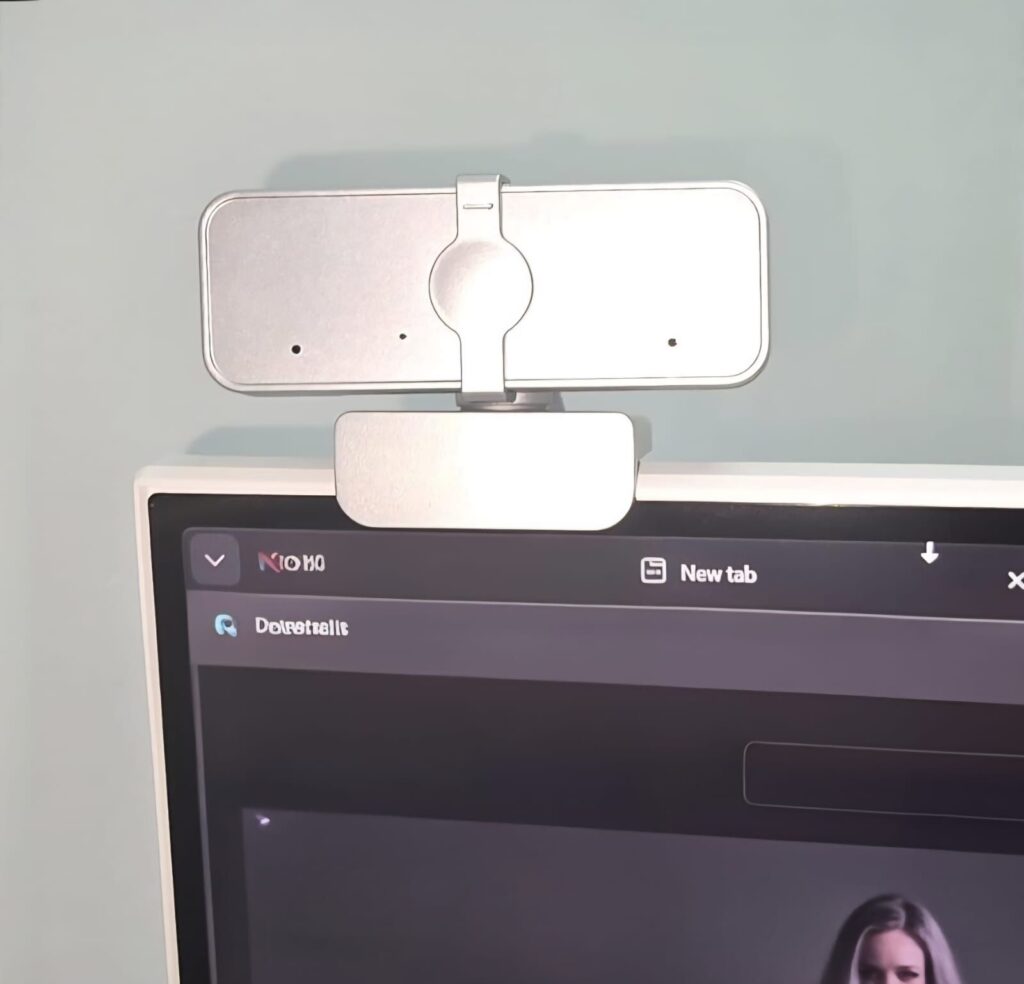
Connecting the Lenovo 310 FHD to my desktop, the classic white design immediately stood out. Measuring 9 cm wide and 5 cm deep, the relatively compact body, also available in black, does not take up much space above the monitor. It sits firmly, emphasizing functionality without being obtrusive.
A key feature is the physical privacy shutter, relatively rare in this price category. Closing it guarantees that no image can be captured, a simple yet effective solution for protecting user privacy.
Installation
Setting up the webcam is straightforward. The USB Type-A connector fits into any standard USB port, and no special drivers are required—the camera works immediately once plugged in. A standard tripod mount on the bottom adds flexibility, allowing positioning beyond just the top of a monitor.
Technical Specifications
The Lenovo 310 FHD features a sensor providing 1920×1080 pixels at 30 frames per second, Full HD resolution. In everyday use, this ensures a much sharper, clearer image than older 720p webcams.
Equipped with two built-in microphones, it records in stereo rather than mono, significantly enhancing sound quality during calls.
The camera offers a relatively wide 85-degree field of view, capturing multiple people in the frame even if they aren’t seated directly in front of it.
The hardware is straightforward. Unlike some higher-end webcams, it lacks AI-based image enhancement or subject tracking. The video encoding uses MJPEG, typical for budget models, meaning most processing is handled by the connected computer.
I used the 310 FHD over several days for work calls, noticing a real improvement over my laptop’s built-in camera. During one meeting, my team commented on the sharpness of my surroundings. Even with imperfect lighting, the camera handled the situation well. The stereo microphones produced clean, clear audio, superior to the mono microphones in simpler webcams.
When two people sit side by side, such as in video calls with family abroad, the wide field of view ensures both individuals are fully visible without crowding. While lighting still plays a crucial role, the value for its price is impressive.
The privacy shutter is a refreshing addition. In daily use, it’s easy to accidentally stream video you didn’t intend. The physical shutter provides immediate peace of mind, far better than the makeshift tape seen in Zuckerberg’s infamous photo.
Conclusion
Overall, the Lenovo 310 FHD surprises positively despite its budget pricing. It delivers Full HD video quality, stereo audio, and a physical privacy shutter, all at an accessible price point. The tripod mount adds practical flexibility, making it suitable for various setups.
Its limitations are modest: no smart image or audio enhancement, so professionals seeking advanced performance in low-light conditions may prefer higher-end models. However, for users simply looking to upgrade their video call quality without fuss, the Lenovo 310 FHD offers an excellent balance of performance and value.