
For anyone who spends long hours at a desk, the toll of office work is more than obvious. Typing for six, eight, or even ten hours a day may seem ordinary. Yet the human body wasn’t designed to stay in front of a screen for so long. Shoulders tighten. Elbows ache. Wrists strain. Hands begin to protest. Repetitive stress injuries, median nerve tension, and joint fatigue are common. Traditional keyboards and mice rarely consider our bodies’ natural positions.
Lenovo’s latest innovation in workstation ergonomics, the Go Wireless Split Keyboard and Wireless Vertical Mouse, attempts to change that. These accessories are not just gadgets. They’re an invitation to rethink how we interact with our computers, to question habits we’ve taken for granted for decades, and to explore a posture that could genuinely feel better over time.
A Keyboard That Understands Your Hands
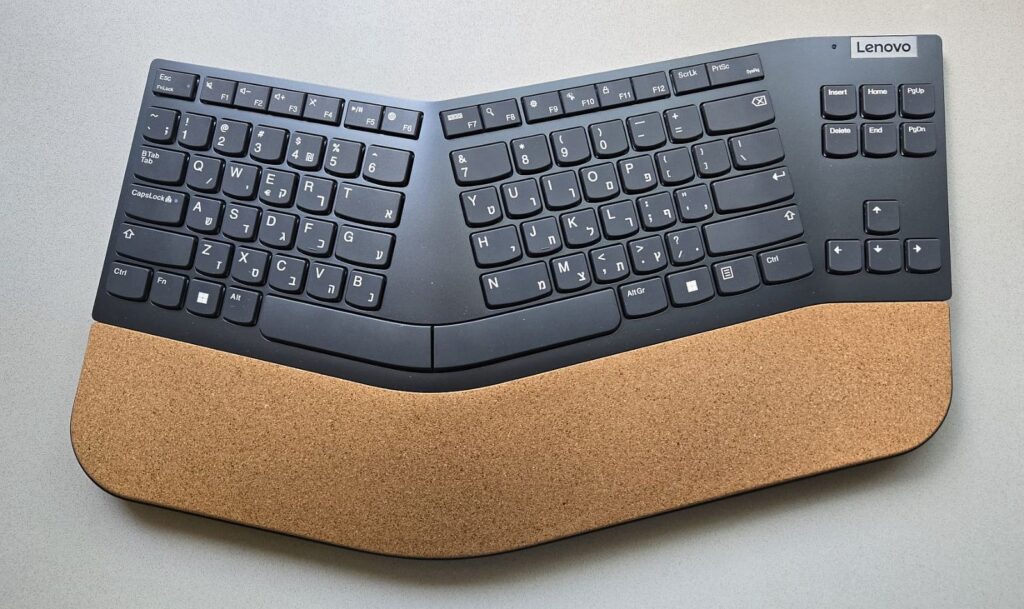
Split keyboards have a long history, dating back to Microsoft’s Natural Keyboard in the 1990s. The principle is simple: our arms and hands don’t naturally stay flat and together while typing. They prefer a neutral angle. Lenovo’s Go Wireless Split Keyboard builds on this idea with a careful, thoughtful design. Each side of the keyboard is separated just enough to let your hands rest in a more relaxed, anatomically natural position.
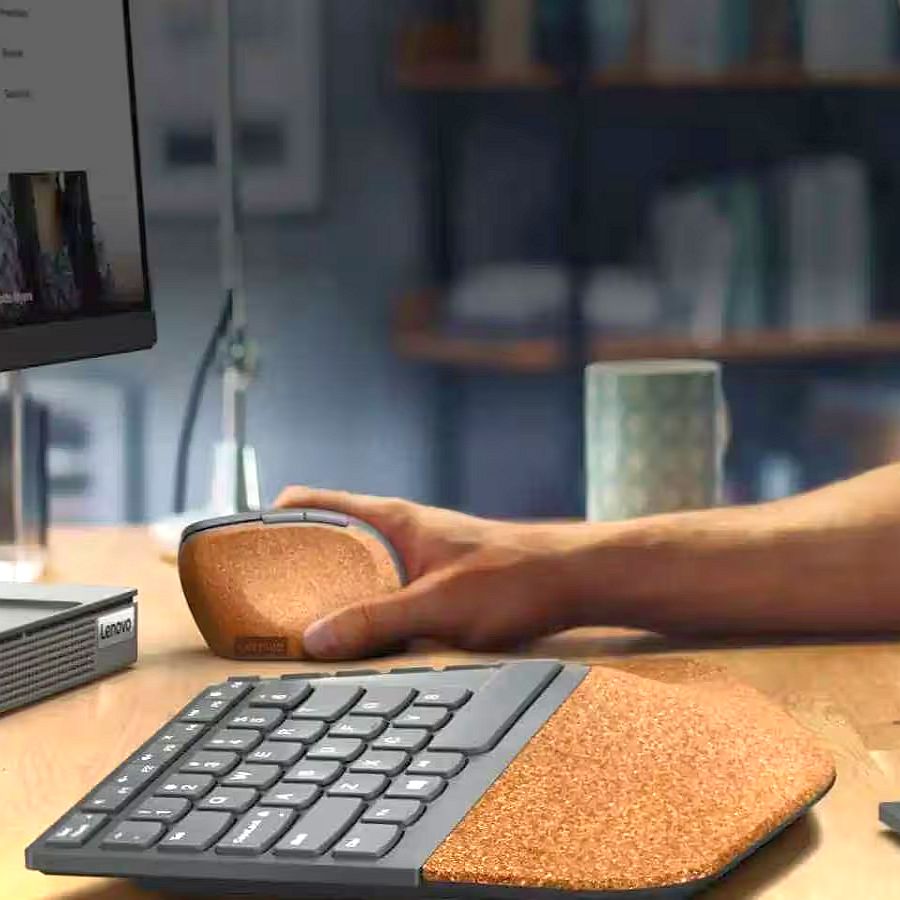
The slight tilt toward the user and the gentle tenting at the center allow wrists to stay aligned with forearms. This reduces pronation and twisting motions that strain joints over time. The keyboard’s keys feel solid yet gentle under the fingers. Scissor-switch mechanisms give a tactile response with minimal effort. The cork-covered palm rest, coated in UV-resistant material, is soft to touch and easy to clean. Unlike many competitor wrist rests, this one doesn’t just cushion the hands. It encourages them to move naturally, reducing tension during long work sessions.
The 2.4 GHz wireless connection, via Lenovo’s unified pairing receiver, allows a stable connection to multiple devices. With battery life that can stretch up to two years, the keyboard feels like a long-term companion rather than a disposable peripheral.
A Mouse That Reshapes How You Move
If the keyboard invites your hands to settle into a healthier posture, the Lenovo Go Wireless Vertical Mouse completes the story. By placing the hand at a 45-degree angle, like a natural handshake, it removes the rotational stress that flat mice impose on the wrist.
Initially, moving the cursor and executing delicate movements can feel unfamiliar. Dragging icons or clicking precisely requires a brief learning curve. But once the brain adapts, the experience is transformative. Your hand feels lighter. Your wrist is more relaxed. Your forearm engages in a natural, fluid motion that prevents the tightness many of us take for granted.
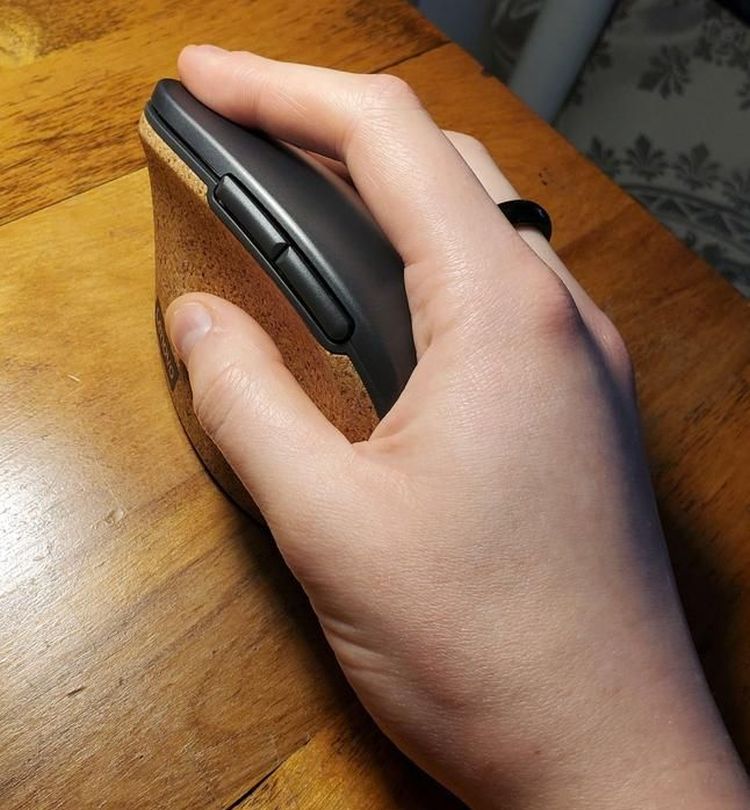
The mouse is designed for comfort and practicality. Its cork-coated, UV-resistant surface is soft and easy to maintain. Six buttons, including two programmable side buttons and an adjustable DPI switch, give users control without compromising ergonomics. The combination of thoughtful shape and precise tracking transforms long hours at a desk into something less physically taxing, while still supporting productivity.
The Power of a System
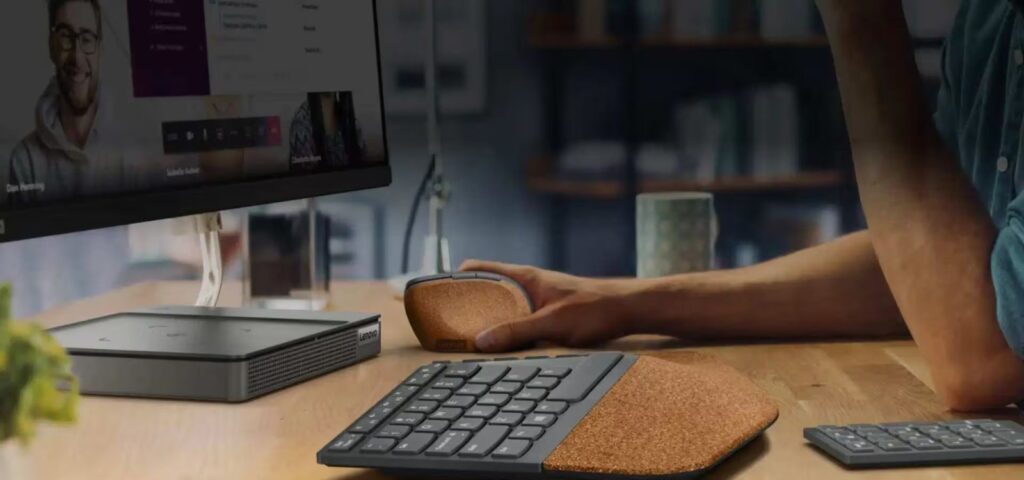
What makes the Lenovo Go set truly compelling is how the keyboard and mouse work together. Individually, each device encourages better posture. Together, they create a workspace that invites your body to align naturally.
The slight separation of the keyboard and the vertical positioning of the mouse complement each other. They promote a more open shoulder position and a relaxed arm reach. At first, it may feel strange to type or move the mouse differently than you’ve ever done before. Within a few hours or days, you begin to notice your body thanking you. Shoulders loosen. Wrists feel freer. Tension fades.
Lenovo’s Go line is part of a broader effort to create ergonomic office ecosystems. From wireless headsets and numeric keypads to accessories that support hybrid work setups, Lenovo designs tools to keep people comfortable, efficient, and focused. They help avoid the physical strain of modern office life.
A Brief Reflection
Adopting the Lenovo Go Wireless Split Keyboard and Wireless Vertical Mouse isn’t about chasing the latest gadget. It’s about relearning how you interact with your workstation. The keyboard requires a short adjustment period as your fingers and brain adapt to a new layout. The mouse takes a little time to master precision in a vertical grip.
For those who persevere, the payoff is real: better posture, reduced strain, and a more comfortable working experience that can last hours, days, and years. For anyone willing to experiment with a new approach to typing and pointing, the Lenovo Go set delivers a unique, tangible ergonomic benefit.
While designed for right-handed users and with some features that feel unfamiliar at first, the combination of science-backed design, quality materials, and thoughtful engineering makes this an ideal choice for office professionals, remote workers, and anyone ready to treat their body better at the desk.
Pricing:
Wireless Vertical Mouse ~$70 USD
Wireless Split Keyboard ~$100 USD