
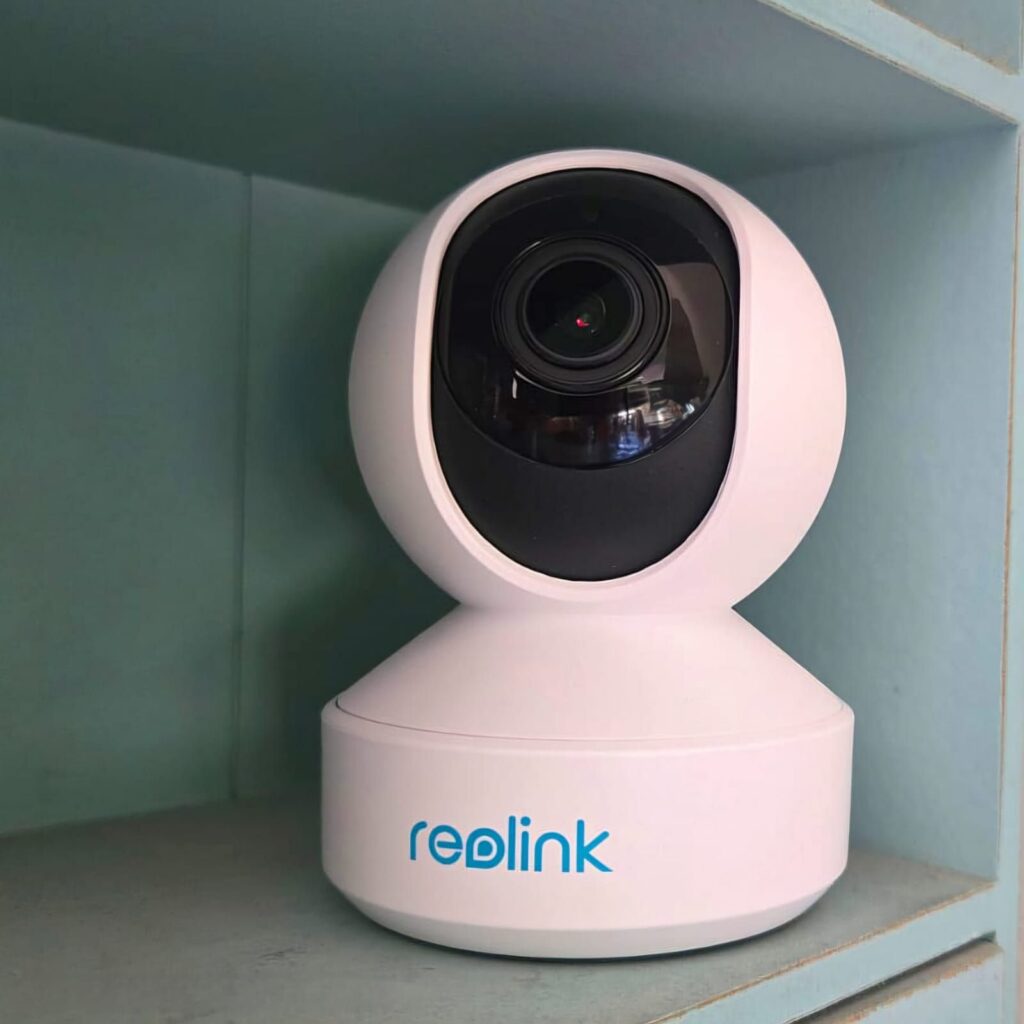
Remember the days when the only way to stay in touch with our parents was when they came home? Times have changed, and one hallmark of the current generation is the ability to keep tabs on places we are not physically present. Whether you want to check on the kids, the cat, or the nanny, a home camera has become an efficient tool for remote monitoring.
In the past, we needed a separate, bulky recording device connected to the camera by cables. Today, connections can be wireless, recordings can be backed up to the cloud or a memory card, and management and notifications are delivered directly to your smartphone app.
While all cameras allow live streaming and recorded playback, the differences come down to image quality, ease of information management, real motion alerts, two-way audio, pan-and-tilt functionality, and zoom capabilities.
Reolink
Reolink specializes in smart security cameras and video surveillance systems. Founded in 2009 in China, the company has established itself by combining high-quality products with mobile and Wi-Fi recording capabilities, eliminating the need for a central recording device. Their product line includes IP cameras powered by electricity or solar panels. One of Reolink’s standout advantages compared to competitors like Arlo and Ring is simple plug-and-play installation.
Unlike competitors that rely solely on cloud storage, Reolink preserves customer privacy by allowing local recording on your home network.
E1 Zoom
The Relink E1 Zoom is designed for indoor use only and is suitable for living rooms, offices, small shops, or other enclosed spaces. It is not IP-rated and therefore not suitable for outdoor installation. The camera features infrared lighting, enabling night vision up to 10 meters.
Launched globally in 2020, the E1 Zoom remains relevant thanks to its combination of a 3X optical zoom lens and high-resolution imaging.
Design
The E1 Zoom has a glossy white plastic finish, with the inner lens wheel in black. It feels very lightweight, yet is solidly built and unlikely to fall apart. Its low-profile design makes it blend discreetly into a living space. It measures approximately 11 cm in height and 8 cm in diameter.
The motorized lens rotates 355° horizontally and 50° vertically, allowing nearly complete room coverage. While it does not feature smart object auto-tracking, it provides full manual control via the app.
Technical Specifications
The camera uses a 1/2.7-inch CMOS sensor, delivering 5-megapixel images at 2560 x 1920 pixels, with a rare 3X optical zoom for this type of camera.
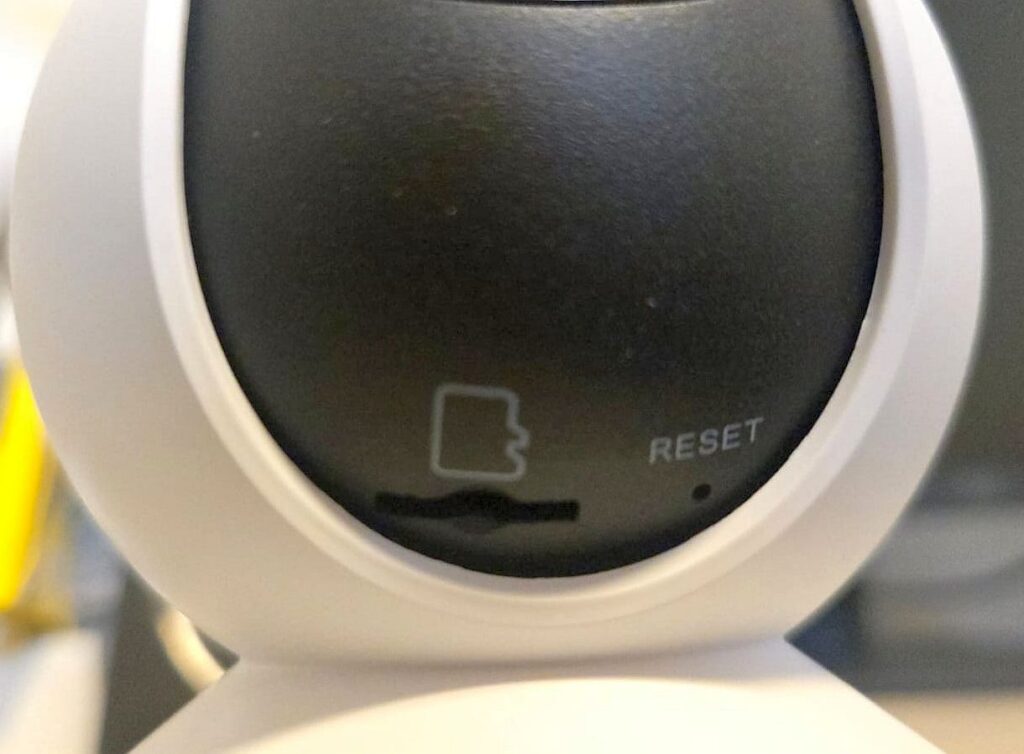
The microSD card slot supports cards up to 256 GB (card not included) and is located beneath the rotating lens head. This placement gives the camera a clean appearance and prevents unauthorized removal.
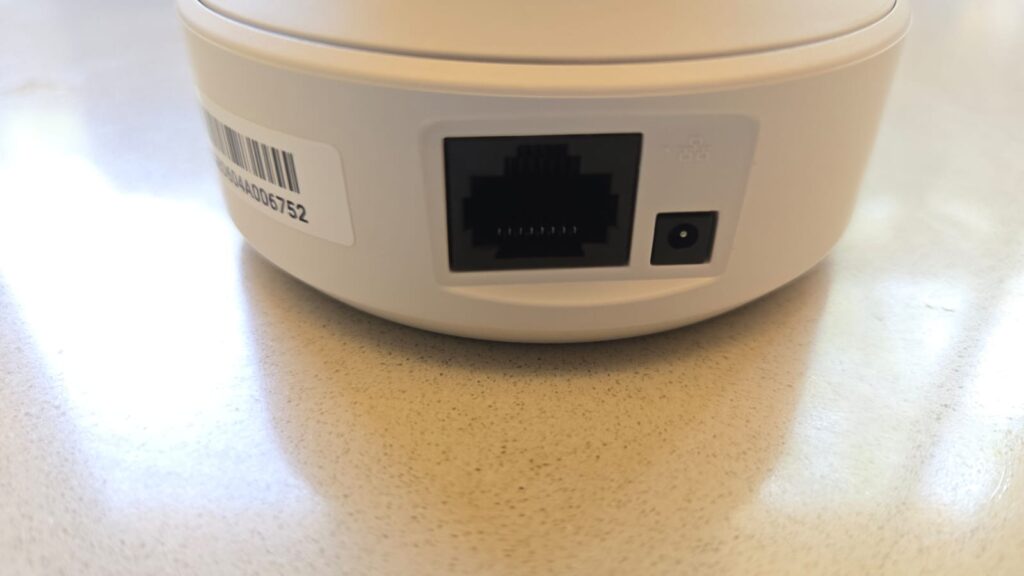
The E1 Zoom supports both wired and wireless network connections. Wi-Fi is limited to 2.4 GHz; 5 GHz, Wi-Fi 6, and Wi-Fi 7 are not supported.
It has a built-in 1-watt speaker and a microphone capable of capturing audio across several meters in a quiet environment.
Package Contents
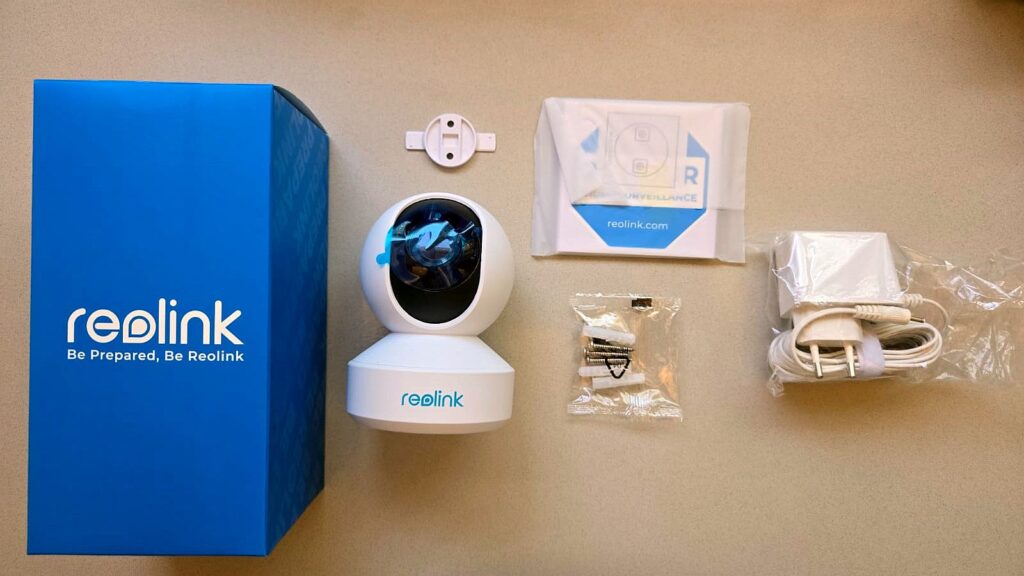
The package includes the camera, a power adapter, a bracket for ceiling mounting, screws and anchors, and a user manual.
Installation
I installed the camera on a shelf about 2 meters high in my main living area to monitor the space when I’m not home. Powering it is simple: plug the cable into an outlet, and the camera powers on. Upon first startup, the camera emits a sound and prompts you to scan a QR code on your smartphone to install the Reolink app. For anyone wondering, “How do I make this work?” it’s much easier than it looks.
Keep in mind that the camera requires a power source, so select a suitable location. You can also mount it upside down on the ceiling using the included bracket, which makes it less accessible. The app allows the image to be rotated so it appears upright when mounted inverted.
For Wi-Fi connections, ensure your internet is stable to maintain continuous communication with the camera.
Reolink App
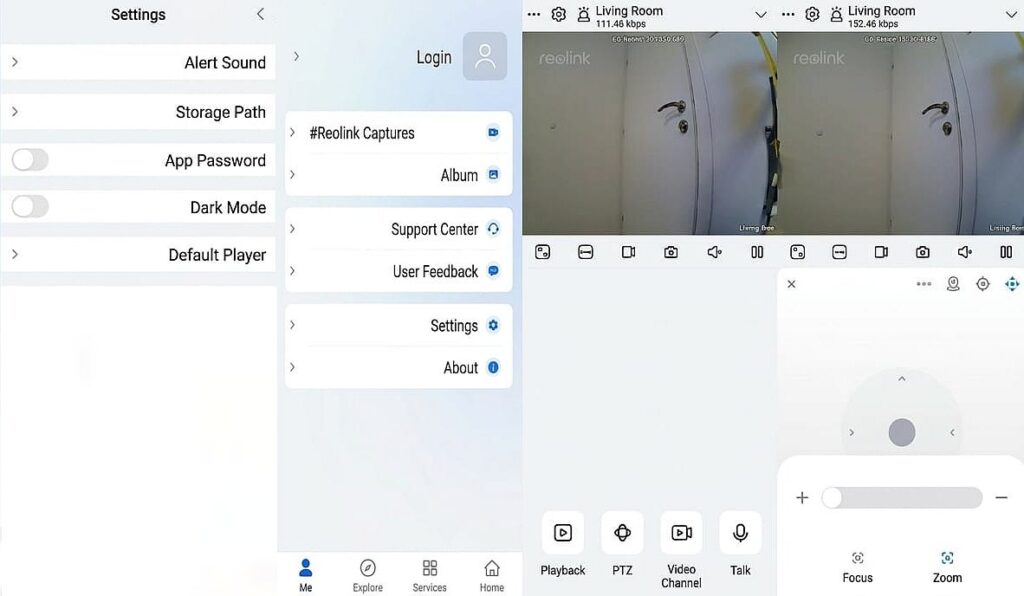
The Reolink app is highly intuitive. If you don’t connect via Ethernet, you’ll need to link the camera to Wi-Fi, set a username and password, define motion detection zones on your smartphone screen, and choose whether alerts are sent to the app or email, as well as whether recordings are stored in the cloud or on a local microSD card.
A notable advantage is that you are not required to create an account. Local backup is free, and if cloud storage is desired, a 7-day free trial is available, with plans starting at $3.50/month depending on the backup duration.
The app provides full control over the camera’s pan-and-tilt, as well as the speaker and microphone, enabling two-way communication. It also allows manual photo capture and recording in real-time. Recordings are organized by date for easy review.
You can change resolution settings, and if multiple cameras are connected, you can view them simultaneously in split-screen mode. Recording options include continuous capture or motion-triggered recording.
User Experience
I placed the camera on a shelf in a living space measuring about 5 by 8 meters. Daylight image quality is sharp with vibrant colors. In darkness using infrared, figures are clearly identifiable up to 10 meters. The two-way audio works effectively, though there is a slight delay, so conversations require a brief pause between speakers.
On my smartphone, images are crisp even under low-light conditions. The optical zoom is effective, maintaining image clarity without pixelation. Audio output is strong with clear depth. At maximum resolution, there is a slight lag in camera response.
Camera access can be shared with family members by creating sub-accounts in the app and inviting them via QR code.
Conclusion
The Reolink E1 Zoom fulfills the basic need for indoor monitoring. Its key advantage is that anyone with a smartphone can install it, resulting in high-quality imaging with a user-friendly interface. It is an excellent choice for anyone seeking a reliable, compact, and high-quality solution. Support for local storage, combined with a straightforward setup, adds further value in the competitive home security camera market.