
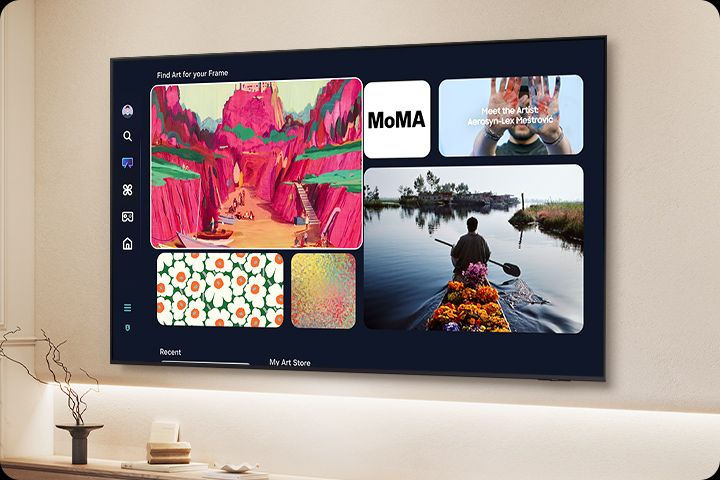
Who wouldn’t want the flagship model of a television manufacturer in their living room? The very best it has to offer in innovation, quality, and prestige?
This isn’t just another screen for watching content, but a status symbol that projects progress, success, and refined taste. It reflects the pursuit of a perfect viewing experience: razor-sharp detail, vibrant colors, and advanced technology that sets a new standard for home entertainment.
For many people, it’s not just a television — it’s a statement about quality of life.
My decision to review Samsung’s flagship model, the QN990F in the 85-inch size, was no coincidence.
I wanted to examine the technological peak Samsung reached in 2025 with its Neo QLED 8K technology, particularly the maximum resolution, the benefits of upscaling, and its image and audio processing capabilities.
This model isn’t only the company’s flagship. It also integrates the best innovations Samsung introduced in 2025. For me, it serves as a benchmark for the entire lineup.
What Is 8K Resolution?
Let’s quickly clarify the different resolutions for anyone who isn’t familiar with the details:
1080p (Full HD): Displays with a resolution of 1,920 × 1,080 pixels. This was the standard of the previous generation and is still widely used in streaming services and older broadcast content.
4K (Ultra HD): Displays with a resolution of 3,840 × 2,160 pixels. This is the most common resolution today in mid-range and premium televisions. Many content sources support it, including streaming platforms like Netflix and Disney+.
8K: Displays with a massive 7,680 × 4,320 pixel resolution, four times the number of pixels in 4K and sixteen times that of 1080p.
This is a remarkable technological achievement designed primarily for very large screens. It excels in upscaling performance, making lower-resolution content appear sharper while also preparing the display for native 8K content, whether captured natively or enhanced through software.
I specifically chose an 8K television to evaluate how well it upscales 4K and 1080p content in order to achieve the best possible image quality. Much of the final result depends on the processor and the algorithms it uses.
Samsung has released 8K models in its TV lineup every year since 2019. In the early years, several companies joined the race toward higher resolutions, but in recent years Samsung has remained almost alone in this ultra-high-resolution category. The company has continued to invest in and develop 8K technology while other manufacturers gradually stepped away.
Samsung — 20 Years of Global Leadership
Samsung has maintained its position as the world’s leading TV manufacturer for 20 consecutive years. When focusing on the premium market: TVs above 75 inches and high-end models, Samsung’s dominance becomes even more pronounced.
In the premium segment priced above $2,500, Samsung held approximately 60.5% of the global market share. In 2024, Samsung was again ranked #1 in the global TV market for the 19th consecutive year, with a worldwide market share of 28.3%.
Installation
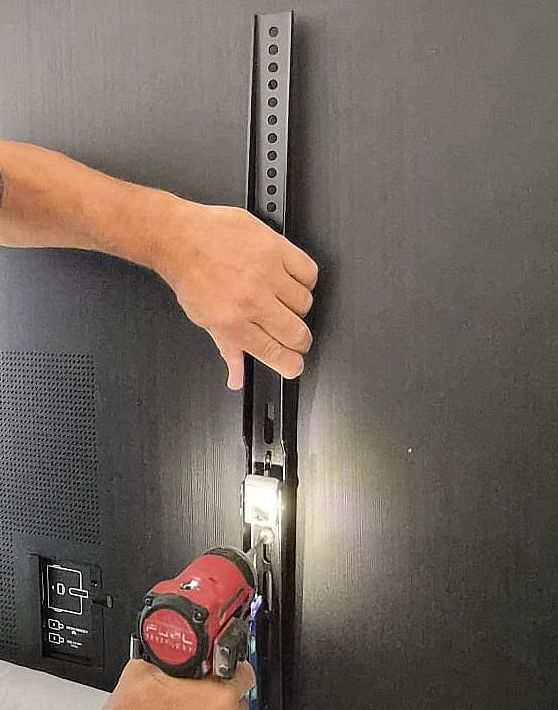
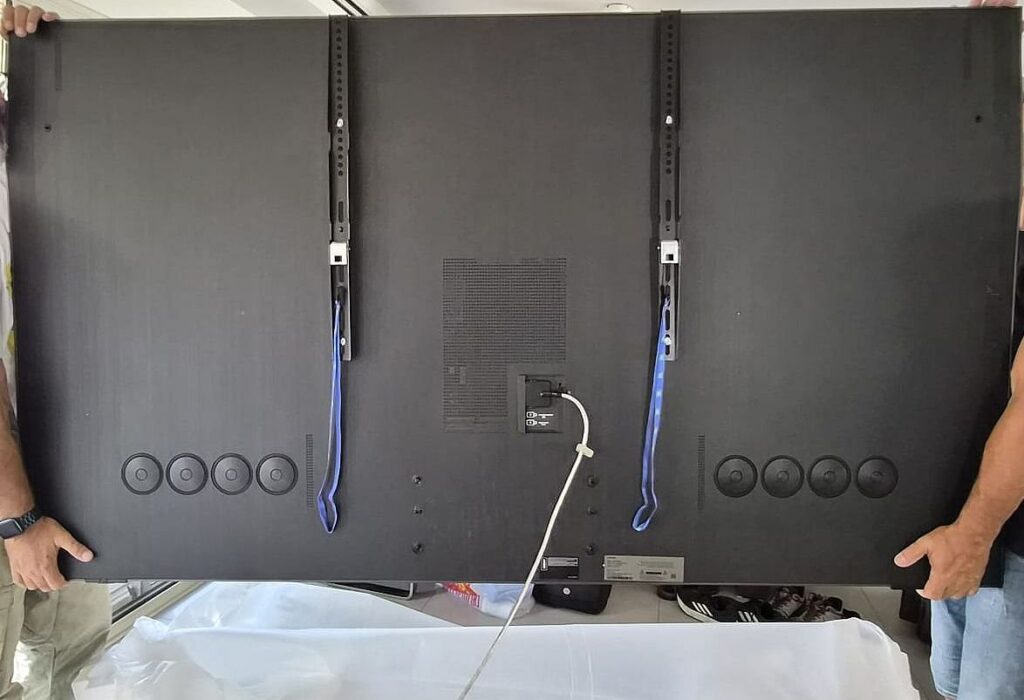
Mounting an 85-inch television in the center of a bright living room, especially near a large south-facing glass wall, can be challenging for many TVs. Because of the television’s large size and weight, I had to replace my standard wall mount (which supports TVs up to 77 inches) with a heavy-duty mount designed for 85-inch displays and above.
The mount attaches to the VESA interface located at the center of the rear panel, allowing the height to be easily adjusted on the wall. If you prefer placing the TV on a media console instead of mounting it, you can use the central metal stand included with the television.
One Connect – Wired and Wireless
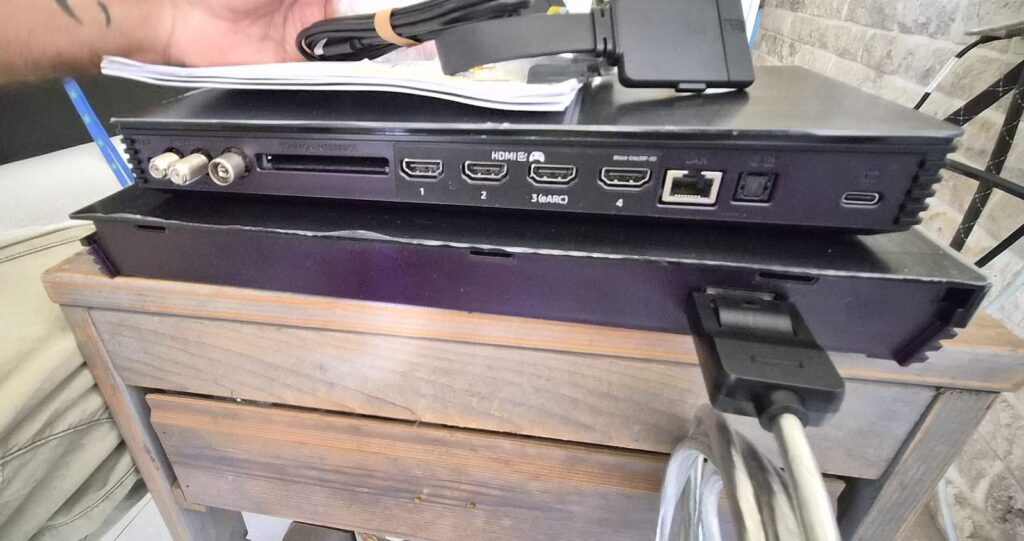
The TV ships with two One Connect adapters:
- Wired One Connect. this is a hub connected to the TV using a single integrated cable, which centralizes all connections including power, HDMI, network, antenna, USB
- Wireless One Connect. This one allows the hub to communicate with the TV without a physical cable between them, enabling you to place the connection box elsewhere in the room.

During my testing, however, the wireless connection introduced higher input lag when using the Wireless One Connect. For gaming, I recommend using the wired connection instead.
Only one dedicated cable connects directly to the TV itself. This means you never have to reach behind the television searching for ports. Everything is accessible from the One Connect box.
Another advantage is that since all cables connect to the hub instead of the TV, the display is extremely thin and mounted almost flush to the wall with a compatible mount.
Initial Setup
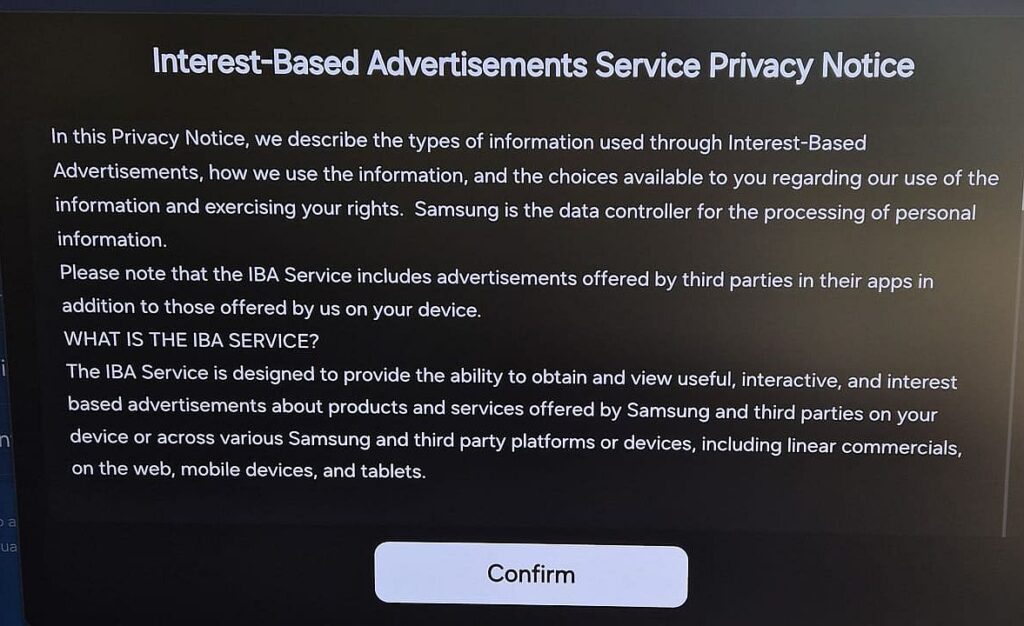
During the initial boot, you’re greeted with Samsung’s Tizen operating system interface in your local language. The TV forwards you to your Samsung account, after which the setup process continues.
The process was simple and quick. Along the way, I was asked to agree to several policies, including receiving advertising suggestions and allowing Samsung to present shared content recommendations.
Once completed, the full interface became available.
Design
The television’s appearance is extremely impressive.
The display is thin from edge to edge, without the typical bulge or thick electronics housing on the back that many TVs still have. The frame around the screen is incredibly slim, about 1 millimeter thick, and the image begins almost immediately after the frame. There is no visible inner black border, which is common on many competing TVs.
I had never seen a television where the image reaches so close to the edge. On most displays there’s at least a centimeter gap between the picture and the frame.
The result with the QN990F is a true “picture-on-the-wall” effect, a concept Samsung has taken even further.
Connectivity
The QN990F supports Wi-Fi 6E, Bluetooth 5.3 wireless protocols.
The One Connect box includes: 4 HDMI 2.1 ports, up to 8K at 120Hz or 4K at 240Hz, 3 USB ports and a LAN connection.
For gaming, the display supports 144Hz refresh rate, VRR (Variable Refresh Rate) and ALLM (Auto Low Latency Mode). These features help prevent screen tearing during fast-paced gaming.
Power Consumption
The 85-inch QN990F consumes up to 450 watts when energy-saving settings are disabled. Because the TV’s main electronics are located in the One Connect Box, the power label is located there as well.
The Wireless One Connect box consumes an additional 45 watts, bringing the combined maximum to 500 watts.

Remote Control
Samsung’s remote continues to dominate its category, and it’s clear that competitors are trying to replicate it. It’s extremely compact and slim, with a minimal number of buttons that function intelligently and efficiently.
Samsung is also the only TV manufacturer offering a solar-charging remote, eliminating the need for disposable batteries.
Unlike many competing remotes that rely on infrared signals, Samsung’s remote works via Bluetooth, meaning you don’t need to point it directly at the TV.
You can sit comfortably, hold it low, or even be in an adjacent space, it still works perfectly.
Dedicated shortcut buttons open Netflix, YouTube and Prime Video, as well as to the built-in web browser.
However, there is no dedicated “TV” button, which means watching live television requires pressing Home and then selecting the source. That’s about five clicks instead of one, which may feel less intuitive, particularly for older viewers who regularly watch broadcast TV.
Another downside of the remote’s minimalist and slim design is that it’s very easy to lose between couch cushions.
If Samsung added a feature to locate the remote via the TV, it would be ideal.

Tizen OS
Samsung refined Tizen 9.0 for 2025, and it’s clear that the platform improves every year.
Here’s a simple example: The operating system responds extremely quickly. The picture appears in under a second after turning on the TV.
Anyone who owns a TV running Google TV knows that you often have to wait for the OS to fully load before the remote responds properly. On Samsung, the response is immediate, you can start navigating as soon as the picture appears.
Global streaming apps are fully represented with Apple TV, Netflix, Amazon Prime Video and Disney+.
The layout of the home screen remains similar to last year.
Apps and content recommendations appear on the main page, while external sources and connected devices are only accessible from the side menu.
Accessing a USB device or DLNA server requires navigating through several menu layers because the remote lacks a dedicated Sources button.
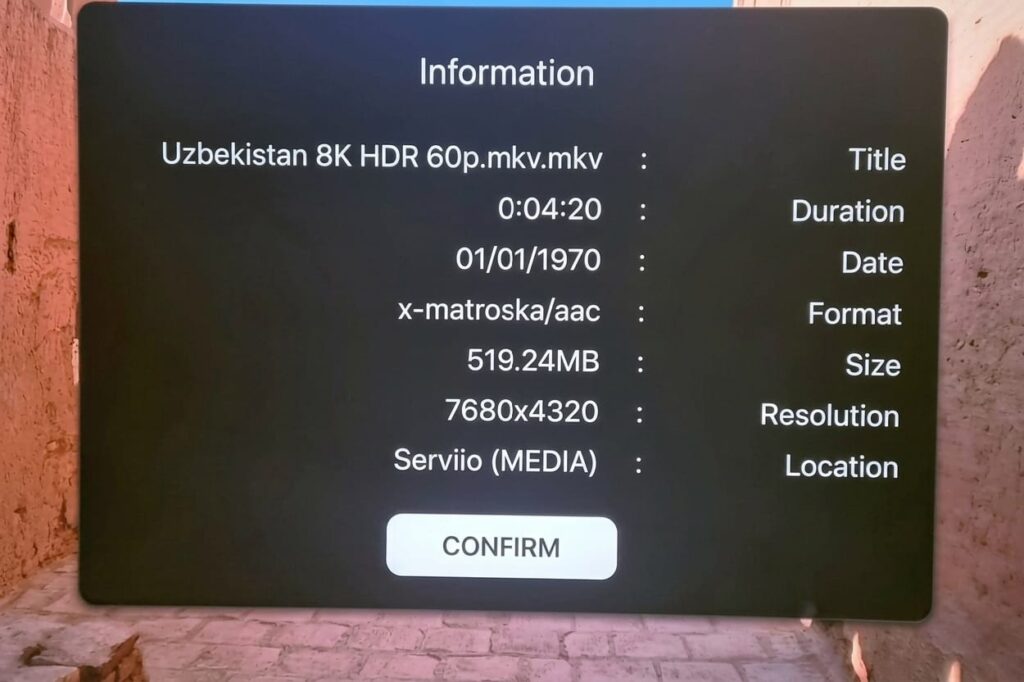
Streaming movies from other computers on the home network is straightforward using free DLNA software like Serviio or PLEX. If Serviio is used, it appears automatically under sources without installing an app on the TV.
Artificial Intelligence – Image and Sound Processing
While last year Samsung asked users to choose preferred images to calibrate the screen, this year it essentially hands control to AI.
The TV processor automatically adjusts image and sound characteristics using machine learning.
It performs video analysis, noise reduction, sharpness enhancement, color optimization and dynamic sound adaptation to the environment. All of this happens automatically through the new intelligent processing system.
Pixel Performance
We’ve reached the most interesting part of the review, and understandably so, since the QN990F is Samsung’s flagship model.
Because the display contains four times as many pixels as a 4K screen, the pixel grid that can sometimes be seen when approaching a 4K TV, is simply invisible here.
I connected an electron microscope to observe the pixel structure at 300× and 1600× magnification.
The first demonstration (300× magnification) reveals the Mini-LED RGB pixel structure: red, green, and blue, as well as the QN990F’s ability to completely turn off pixels when necessary, achieving true black levels.
This highlights the difference between WRGB OLED, which uses white subpixels to boost brightness, and Mini-LED, which relies purely on actual color subpixels without mixing white light.
The second demonstration at 1600× magnification shows the effect created by the Glare Free coating, which makes pixel edges appear slightly distorted, similar to looking through textured glass.
This diffusion helps scatter direct light rays but does not interfere with image clarity during normal viewing. This view also demonstrates the pixel density advantage of 8K over 4K: twice as many pixels horizontally and twice as many vertically ,that equals four times as many pixels per area.
Calibration
I found the picture not perfectly optimized out of the box, and performed calibration using the SmartThings app with a tripod, followed by manual adjustments in the TV settings.
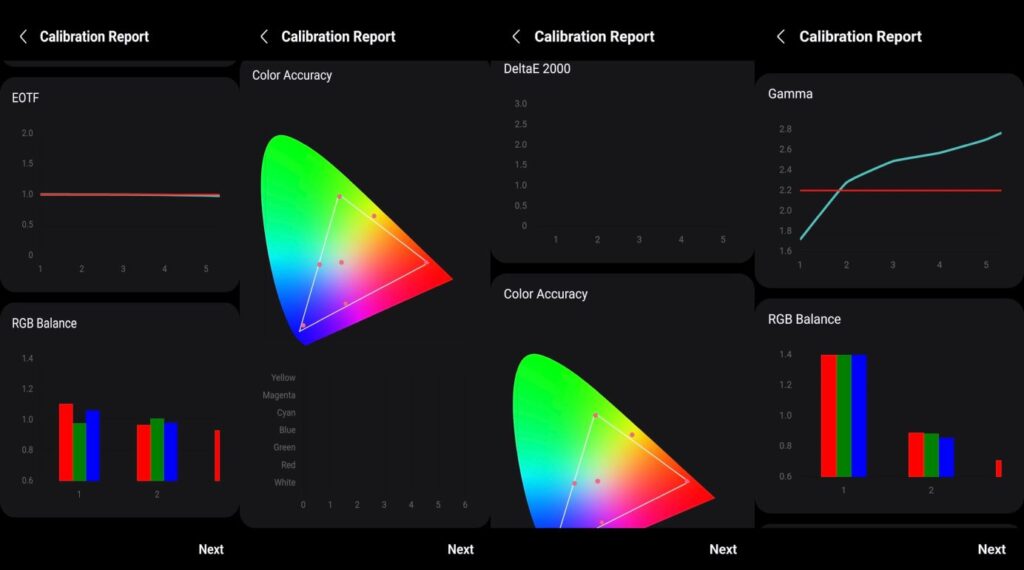
My adjustments included disabling automatic energy saving, enabling AI mode, boosting sound output, activating automatic HDR tone mapping, high contrast enhancement, high local dimming, natural color space, Color Booster Pro (high), Warm1 color tone and automatic sharpness.
Once calibrated, I understood why Samsung has led global TV sales for 20 consecutive years.
The QN990F delivers a spectacular image dynamic, realistic, and bright. Thanks to AI upscaling, content looks and sounds sharper and clearer. The better the original source quality, the more the TV can unlock its full potential.
After disabling energy-saving mode, I realized the screen handles bright environments extremely well, even with direct sunlight from a large south-facing window.
The image remains powerful, colorful, and high-contrast in virtually any lighting condition. All of this is powered by the NQ8 AI Gen3 processor, which is significantly faster than its predecessor:
- NPU twice as fast
- GPU 2.2× faster
It uses multiple neural networks to upscale content to 8K and enhance both picture and sound quality.
Key features include:
- AI Motion Enhancer Pro for sports content: reduces blur and distortion in fast scenes by identifying the sport type and optimizing processing accordingly.
- Adaptive Sound Pro for audio optimization. This feature worked overtime in my home. Every time my wife turned on the kitchen mixer, the TV automatically raised the volume so the dialogue remained clear. Once the mixer stopped, the volume returned to normal.
Reflections (Glare Handling)
Remember that I intentionally installed the TV near a large south-facing glass wall? I did this because the most common question in TV forums is
“How well does a TV perform in a bright living room?”
For most TVs, sunlight is the biggest enemy due to reflections and limited brightness.
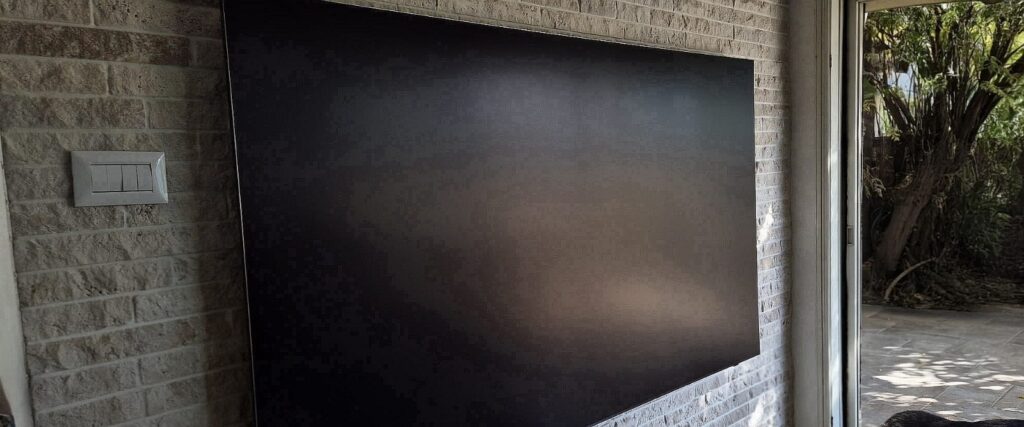
Samsung is currently the only TV manufacturer that completely eliminates reflections using its Glare Free coating. Other brands use anti-reflection coatings as well, but they typically only reduce reflections rather than eliminating them.
To demonstrate this effect, I deliberately photographed the QN990F while trying to capture sunlight reflecting off the screen.
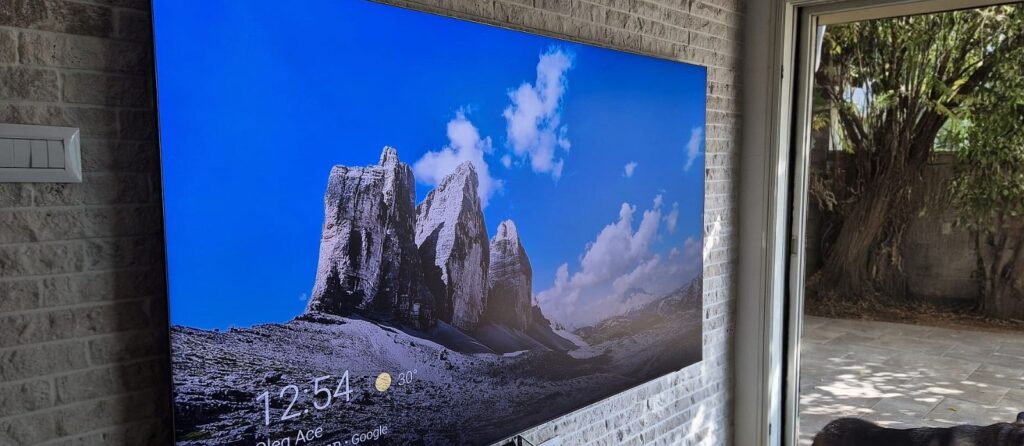
The result: zero reflection. When the TV is turned off, the panel diffuses light rather than reflecting it. Once the screen is on, the coating effectively cancels reflections almost entirely.
4K Viewing Experience
I opened with the film Mission: Impossible, Final Reckoning, which proves that even a 63-year-old man can perform extreme stunts if he has good genetics and enough training time. I chose it because it’s packed with audiovisual spectacle.
HDR image quality was mesmerizing. Fast scenes demonstrated the QN990F’s processing power beautifully. Even in extremely dynamic moments, the NQ8 AI Gen3 processor handled everything flawlessly.
During the airplane-climbing scene, you could practically see every strand of hair on Tom Cruise’s head when the camera zoomed in.
Next I watched Fantastic Four – First Steps, which reminds us in its opening scene that even a superhero struggles to find items his wife moved somewhere else in the house.
The movie features energetic action scenes that never become boring. In one scene, the QN990F’s sharpness is so impressive you can clearly distinguish each eyelash on Vanessa Kirby’s eyelids.
I closed this reviews session with Nobody 2, another example of how sequels can sometimes spoil a good original. If the most memorable scene in the first movie took place on a bus, in part 2 it happens on a boat.
The screen delivered such sharp detail that Bob Odenkirk’s stubble was visible with striking clarity.
In summary, Samsung fully justifies calling the QN990F a flagship model. Every type of content I streamed looked outstanding.
Dolby Vision Limitation
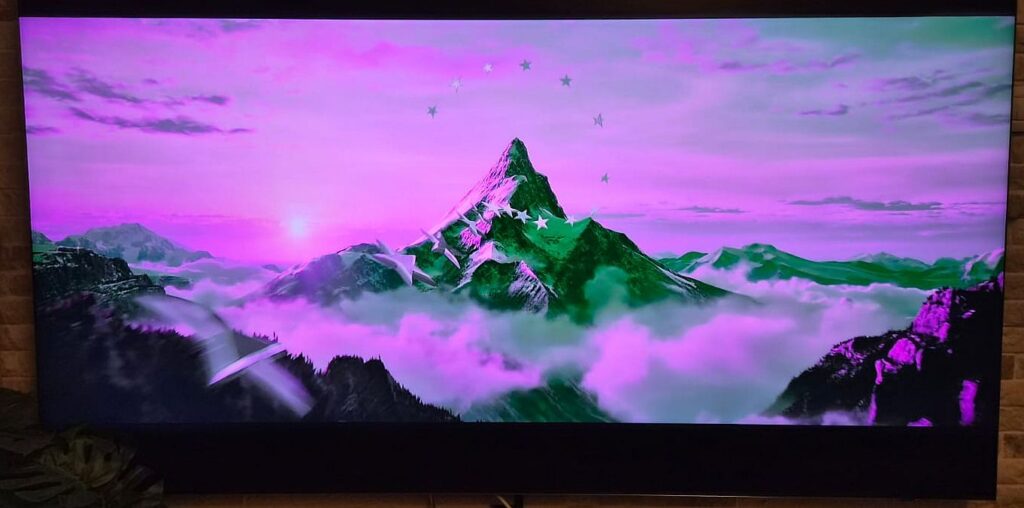
Samsung TVs still do not support Dolby Vision. If you attempt to play a movie encoded exclusively in Dolby Vision without HDR fallback, the image will appear green-purple.
Built-in Video Player
The built-in media player remains similar to previous years. It’s simple and easy to use. The TV’s video processor is powerful enough to handle high-bitrate 4K Remux files, switching between scenes smoothly.
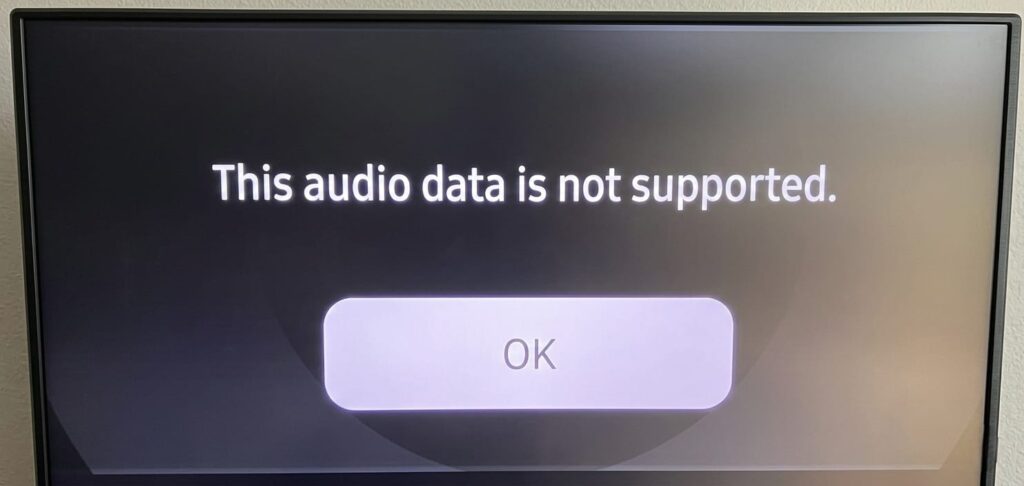
Samsung TVs do not support DTS audio formats, including DTS, DTS-MA, DTS-X.
If you try to play such files, you’ll see the message: “This audio format is not supported”
Even if the TV is connected to a soundbar that supports DTS, the internal player still cannot pass the audio. The only workaround is using an external streaming device connected directly to the soundbar.
8K Content Experience
Watching 8K content truly does justice to very large displays.
The difference between 4K and 8K isn’t just about more pixels. It enhances realism to the point where you feel present inside the scene.
While 4K is already very sharp, 8K offers four times the pixels, revealing smaller details, greater depth, and textures that were previously invisible. Thanks to the higher resolution, you can sit closer to the screen without seeing pixel structure.
Of course, 8K content is still less common than 4K, but it already exists. For example, YouTube supports 4320p video. Even when content is upscaled rather than native, the experience remains impressive.
Recording videos via a smartphone or 8K supporting camera, preserves family moments with incredible accuracy. A birthday celebration filmed in 8K can show smiles exactly as you remember them, almost like stepping back into the moment.
For demonstration purposes, I downloaded two videos shared here. You can download them yourself as well and experience the difference firsthand.
8K Nature Footage – Morocco 8K HDR 60 FPS
This clip combines a variety of natural scenes, such as crashing ocean waves, dramatic storm clouds, and dense forests with sunlight streaming through the trees. The transitions between wide landscape shots and fine details, like a single leaf or droplets of water, makes full use of the 8K resolution, creating the feeling that you are actually standing at the filming location. The experience delivers remarkable depth, vivid colors, and an impressive level of clarity in natural textures.

Starry Skies, Sun Rays, and Ocean in 8K – New Zealand 8K HEVC
Here, the image quality makes it possible to notice subtle cloud formations, rays of sunlight reflecting off rooftops, and even architectural landscapes, all rendered with extraordinary sensitivity to detail. The sense of “being there” becomes even stronger when the camera angle is wide and image noise is extremely minimal.
In summary, the 8K viewing experience:
If you have a display capable of this resolution and understand that the available content is still not as abundant as 4K, switching to 8K content can significantly enrich your viewing experience.
You gain a level of sharpness we haven’t seen before, depth that was previously difficult to achieve, and above all, a powerful sense of presence in moments you’ll want to remember.
I genuinely recommend giving it a try, even if it’s just watching a short 8K clip on a compatible screen and then comparing it to the same footage in 4K. The difference quickly becomes clear. Who knows? It might just become your family’s next favorite home entertainment experience.
Smart Home – Built-in SmartThings Hub
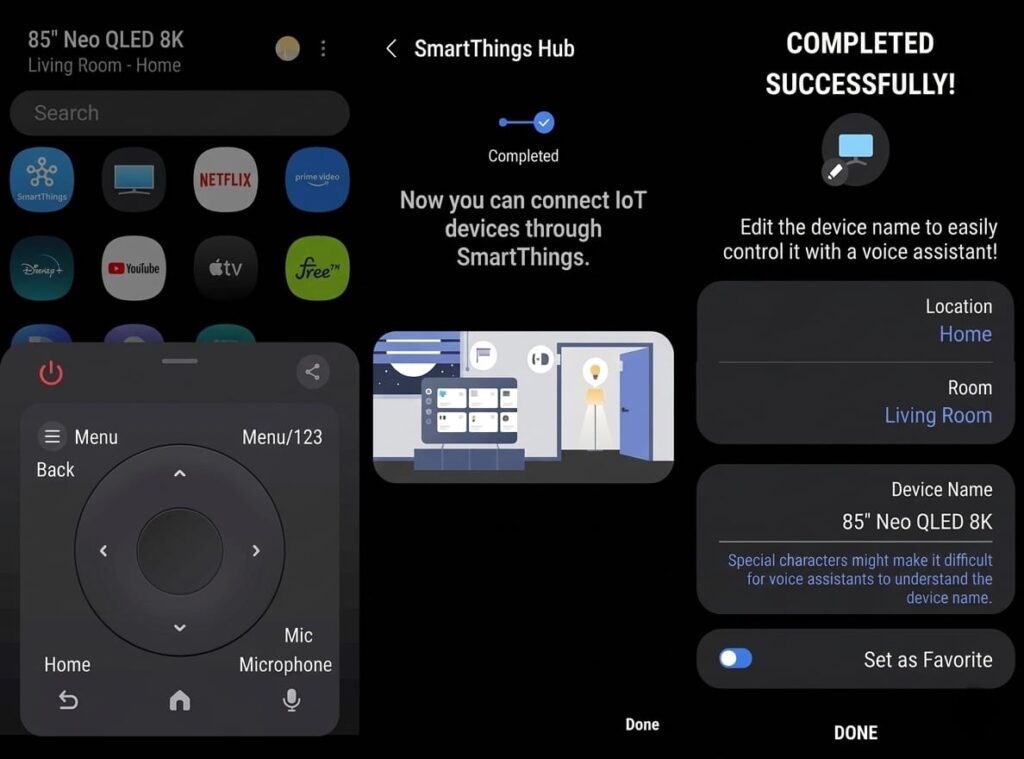
Samsung further expanded the TV’s role as a smart home hub this year. The entire Samsung display lineup integrates the SmartThings Hub, connecting a Samsung smartphone is immediate.
For example, you can locate your phone using the TV, a fature I used several times because it’s easier than asking a family member to call it.
Connecting Matter-compatible smart home modules was also very easy, including inexpensive smart switches purchased from AliExpress.
Compatibility between the TV and smartphone effectively turns the phone into a second remote control. This enables functions control as settings, installed apps, channel switching and volume control.
SmartThings now works with multiple protocols including Google Assistant, Amazon Alexa and Zigbee.
These platforms now share the Matter standard, allowing thousands of smart devices to integrate with Samsung TVs, from inexpensive modules to premium devices like smart door locks and video intercom systems.
Over-the-Air Broadcast (DVB-T2)
Users with DVB-T2 antennas will be pleased to know reception is excellent and stable. The QN990F also offers a clear program guide and allows scheduled recordings to an external USB drive.
Sound Experience
The QN990F incorporates a 6.4.4 audio system with a total output of 120 watts. Reaching the maximum volume is very powerful and the sound quality is better than most ultra-thin TVs.
However, like nearly all built-in TV speakers, it still doesn’t match the performance of a dedicated soundbar system.
Final Thoughts
After spending time with the Samsung QE85QN990F, it becomes clear why Samsung has led the global TV market for 20 consecutive years. It continues to innovate every year while introducing exclusive technologies and services that competitors struggle to match.
Those technologies translate into real value for consumers:
- Neo QLED (Mini LED) panel with precise dimming control
- 8K resolution
- stunning HDR performance
- Glare Free coating that eliminates reflections
- advanced AI features that simplify everyday use
Add an intuitive interface, a solar-powered remote, and a luxurious design, and you have a television that’s hard to resist.