
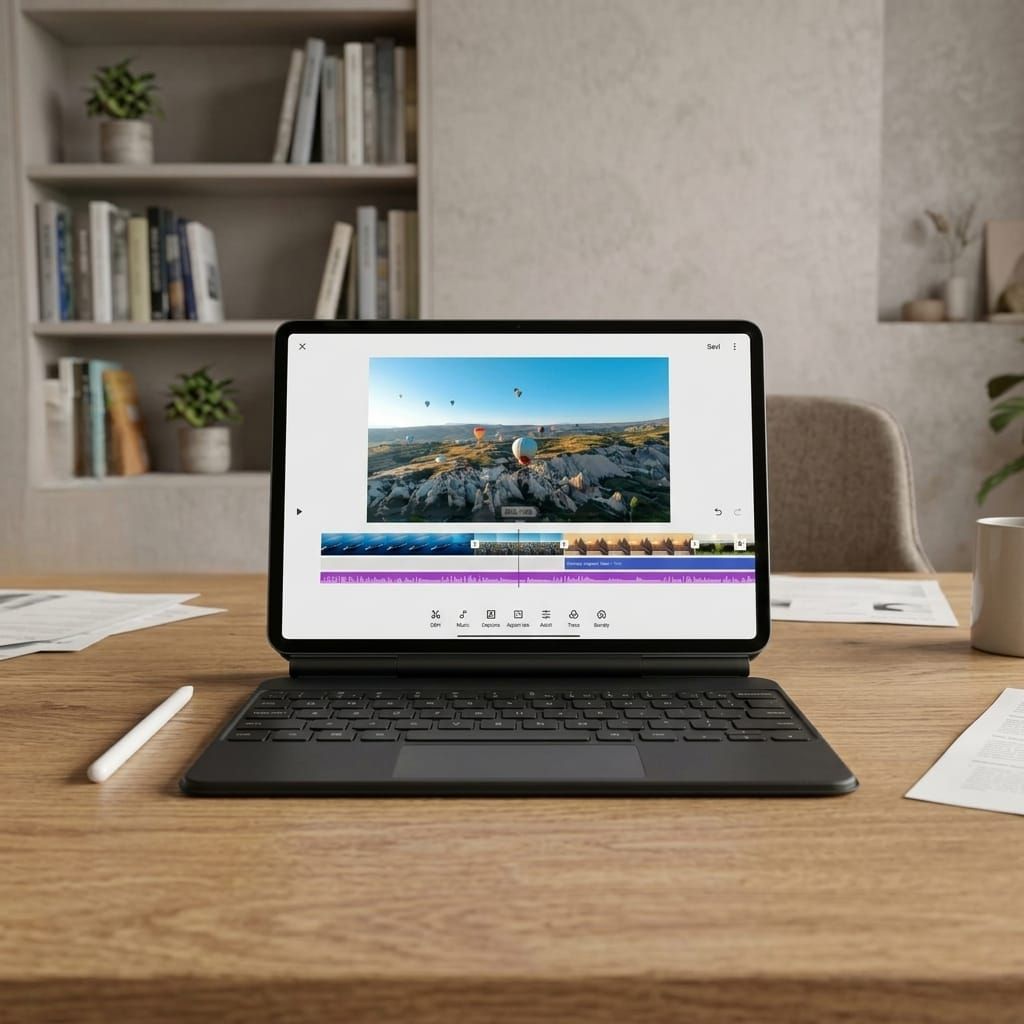
A comprehensive look at Xiaomi’s latest tablet, combining ultra-slim design, strong performance, and a growing ecosystem aimed at productivity and mobility.
One of the more interesting and surprising trends in the tablet race over the past few years has been the focus on thinness and weight. In my view, this isn’t just about aesthetics or the initial wow factor. Unlike a laptop, a tablet is designed to be held in your hands for extended periods, much like a smartphone, but larger. That makes its weight and thickness genuinely important in everyday use. Comfort during prolonged holding, reduced fatigue, and ease of portability all play a significant role.
Into this space steps the Xiaomi Pad 8, which was recently launched and has now arrived for review. From the very first moment, it’s clear that Xiaomi is aiming high, not just matching competitors, but actively refining one of the most noticeable aspects of tablet use: how it feels in your hand.
If you’re coming from the more affordable Redmi lineup, like the Redmi Pad 2 Pro, which was reacently reviewed here, and offers a keyboard accessory but lacks a trackpad, stylus support, and the broader computing capabilities—then the Xiaomi Pad 8 clearly represents the step into a true premium experience, both in hardware and in productivity potential.
In the Box
Unboxing Xiaomi products often feels like a subtle statement in itself. Every time I see the company still including a charger in the box, I can’t help but wonder whether companies like Samsung and Apple are ultimately benefiting, or actually losing, by continuing to exclude chargers from their devices.
Inside the box, you’ll find a 45W charger, a USB Type-C cable, and a user guide. The packaging itself is also intentional: a black tablet on a white background, minimalistic branding, and a clean white box. It feels very familiar, and it’s hard to ignore the visual resemblance to Apple’s iPad packaging. Xiaomi is clearly positioning this device as a direct competitor.
Design
The Xiaomi Pad 8 unit I received came in green, which I find as a refreshing alternative to the typical black or gray. The moment you pick it up, the design direction becomes obvious. It feels elegant, thin, and pleasant to the touch. The transition between the front glass and the metal back is seamless, almost flowing naturally.
The bezels around the display aren’t particularly thin, but they actually help with grip. Beyond that, the device is simply light: easy to hold, move, slip into a bag, and even comfortable to carry around the house without a second thought.
The first thing that stands out visually and physically is the design. This is Xiaomi’s thinnest tablet to date, measuring just 5.75mm thick and weighing 485 grams. On paper, these numbers may not seem dramatic, but in practice, the difference is very noticeable. There’s a clear attempt here to compete with the ultra-thin tablets from leading manufacturers, and it doesn’t feel forced.
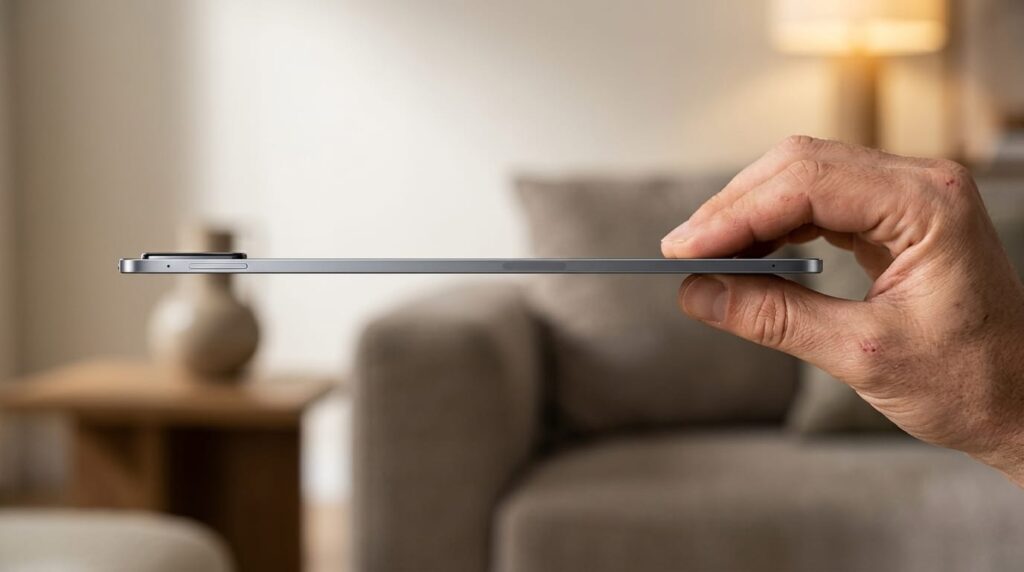
The chassis is clean and precise, with a relatively flat frame that aligns with modern design language. The power and volume buttons are intuitively placed and easy to use in both portrait and landscape modes.
On the back, there’s a simple dual-camera setup, but its design is quite prominent. The lenses protrude noticeably within a black module that strongly resembles Xiaomi’s smartphone design language. It’s not necessarily elegant in my opinion, but it reinforces brand consistency.
Display
When it comes to the display, Xiaomi didn’t cut corners. The tablet features an 11.2-inch panel with 3.2K resolution, a pixel density of 345 PPI, and a 2:3 aspect ratio. Peak brightness reaches 800 nits, making it usable even under direct sunlight.
In my experience, even after extended sessions of reading, watching videos, and browsing, I didn’t experience eye fatigue, which isn’t something to take for granted. This may also be attributed to its Triple TÜV Rheinland certification for blue light reduction, as well as the 144Hz refresh rate, which delivers smooth motion and a more comfortable overall viewing experience.
Interface
The tablet runs Xiaomi HyperOS 3, and thankfully, this is no longer the cluttered, noisy system we’ve seen in the past. The interface is cleaner, calmer, and feels far more mature.
The excessive pre-installed apps and ads have been reduced, resulting in a much more relaxed user experience.
Xiaomi has also integrated an AI layer called Xiaomi HyperAI at the OS level. In practice, this translates into subtle enhancements: updated lock screens, animated wallpapers, and more flexible widgets, that collectively create a smarter system feel.
Another feature introduced in this interface is cross-device connectivity, or what Xiaomi refers to as inter-device interaction. To enable it, you need to log into the same Xiaomi account on both your tablet and smartphone, with Wi-Fi and Bluetooth active on both devices, and enable the connectivity feature in settings.
Once set up, the Pad 8 communicates fairly seamlessly with your phone. In my experience, it felt like the early stages of an ecosystem, being able to answer calls from either the tablet or smartphone, and transfer files between them via NFC with minimal friction.
It’s not yet a fully seamless experience, and at times it feels dependent on settings or connection quirks. But when it works, it’s fast, convenient, and signals that Xiaomi is building something broader than just standalone devices, and that’s genuinely interesting.
Productivity
Let’s be honest: most of us have used tablets primarily for watching videos, gaming, and browsing. Productivity? Not really. That’s why one of the more interesting moves here is Xiaomi’s attempt to push the tablet into the productivity space.
It’s worth noting that while the tablet supports a keyboard case with a built-in trackpad, it wasn’t supplied in my review unit. Still, from the images alone, it’s clear who Xiaomi is targeting. Apple, anyone?
That said, everything I describe here is based solely on using the tablet itself, without the keyboard or trying to turn it into a laptop.
There’s fairly advanced multitasking, including split-screen in a 5:5 ratio for portrait use, and a new 1:9 horizontal layout. It’s not a full replacement for a computer, but it does make parallel workflows more practical than before.
There’s also support for mouse interaction when using the keyboard, including hover, right-click, and toolbars, aiming to replicate a desktop-like experience.
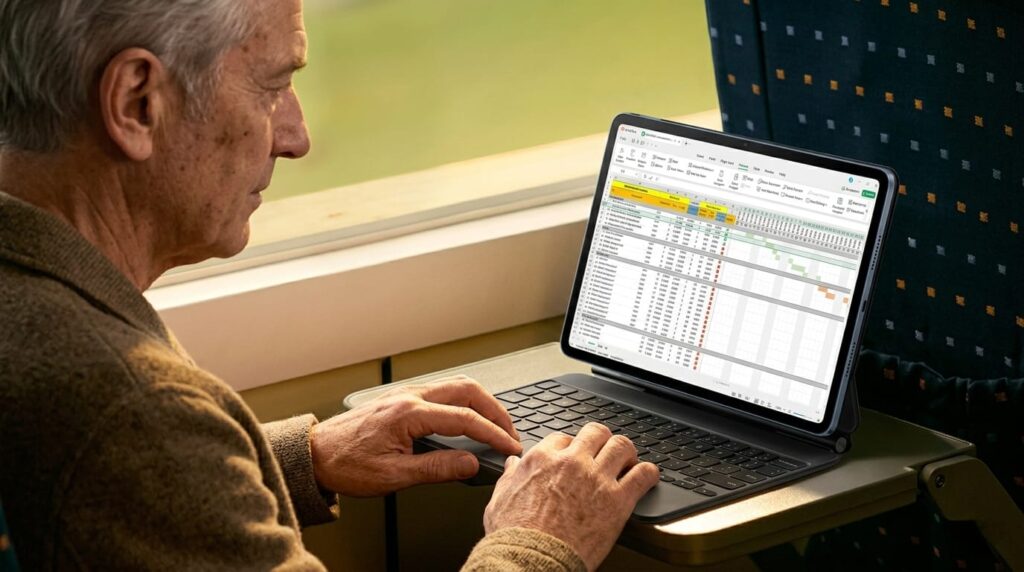
A central part of this experience relies on WPS Office in its PC version, which represents a real shift in approach. WPS Office is a full suite that includes tools for document writing, spreadsheets, presentations, and PDF management. Its advantage lies in being lightweight, accessible, and well-suited for mobile devices.
On this tablet, it feels surprisingly close to working on a computer. Not just editing files, but fully creating them. This marks a meaningful shift, as tablets have traditionally been seen more as content consumption devices rather than creation tools.
Performance
In terms of performance, Xiaomi has equipped the device with the Qualcomm Snapdragon 8s Gen 4, promising a 32% CPU improvement and a 67% GPU boost over the previous generation. In real-world use, the experience largely lives up to those claims.
I tested the tablet with video streaming, large PDF files, document creation, and even graphics-intensive games. Most of the time, everything ran smoothly. Transitions were fast, apps loaded quickly, and I didn’t encounter any significant lag. There was some mild heating under heavy load, but nothing unusual or concerning.
The battery has a capacity of 9,200 mAh, which is impressive given the tablet’s thin profile. Charging is supported at 45W, offering relatively fast charging, though not the fastest on the market.
According to Xiaomi, a full charge takes just over an hour and a half, which is reasonable, though not groundbreaking. The company claims up to 13 hours of video playback, which should comfortably cover a long flight, say, from New York to Los Angeles or even across the Atlantic.
Camera
As expected, the camera system is less impressive. There’s a 13MP rear camera and an 8MP ultra-wide front camera, primarily intended for video calls, presentations, and document scanning. They get the job done, but not much beyond that. In my view, the gap between the high-quality display and powerful processor versus the relatively basic camera setup is noticeable.
Storage is generous at 256GB with 8GB of RAM, allowing plenty of room for files, apps, and media without relying constantly on cloud storage.
Audio
Audio is one area where tablets don’t always excel, but here I was pleasantly surprised. The Pad 8 features a quad-speaker setup with a new acoustic structure designed to emphasize low frequencies.
In practice, this is noticeable: the bass is deeper than expected for such a thin tablet, and the overall sound is rich and fairly detailed. Support for Dolby Atmos adds a wider soundstage, especially when watching movies or shows.
In my experience, whether on YouTube, Netflix, or even background music, the sound filled the space impressively, with a sense of depth that isn’t typical for tablets. It’s not a replacement for a high-end external speaker, but for everyday use, it’s above average.
Stylus
The most interesting addition, at least for me, is the Xiaomi Focus Pen Pro: a new stylus weighing just 17.5 grams. It supports pressure sensitivity, pinch gestures, double-tap, haptic feedback, and even hovering, similar to the Apple Pencil.
Unfortunately, I didn’t get to test it, as only the tablet was provided for review. However, combined with the keyboard, it could add real value.
Conclusion
At the end of the day, the Xiaomi Pad 8 goes head-to-head with Apple’s tablets. With support for a stylus and a keyboard with a built-in trackpad, it clearly aims for the top of the category.
Throughout the experience, it strikes a balance between mobility and productivity, and in my view, Xiaomi does a solid job here. It’s thin, lightweight, comfortable to use, with an excellent display and strong performance.
The addition of the keyboard and stylus (which weren’t included in this review) clearly targets the premium segment, offering features that were previously associated mainly with Apple devices. That said, it still doesn’t fully replace a computer, and the cameras remind us that compromises exist.
But if you’re looking for an elegant, portable, and powerful tablet that’s enjoyable to use over time, and you’re not locked into Apple’s ecosystem, Xiaomi has put together a very compelling package here, even if it’s not perfect.
Distributor: Xiaomi (U.S. availability may vary)
Price: Approximately $650 (bundle with keyboard and stylus may vary by market)